Structured Cabling
Ethernet and Fiber Cabling Installation
Ethernet and fiber installation for homes, businesses, and industrial facilities. Each run is labeled, tested, and recorded on a connection map.
Discuss Your Project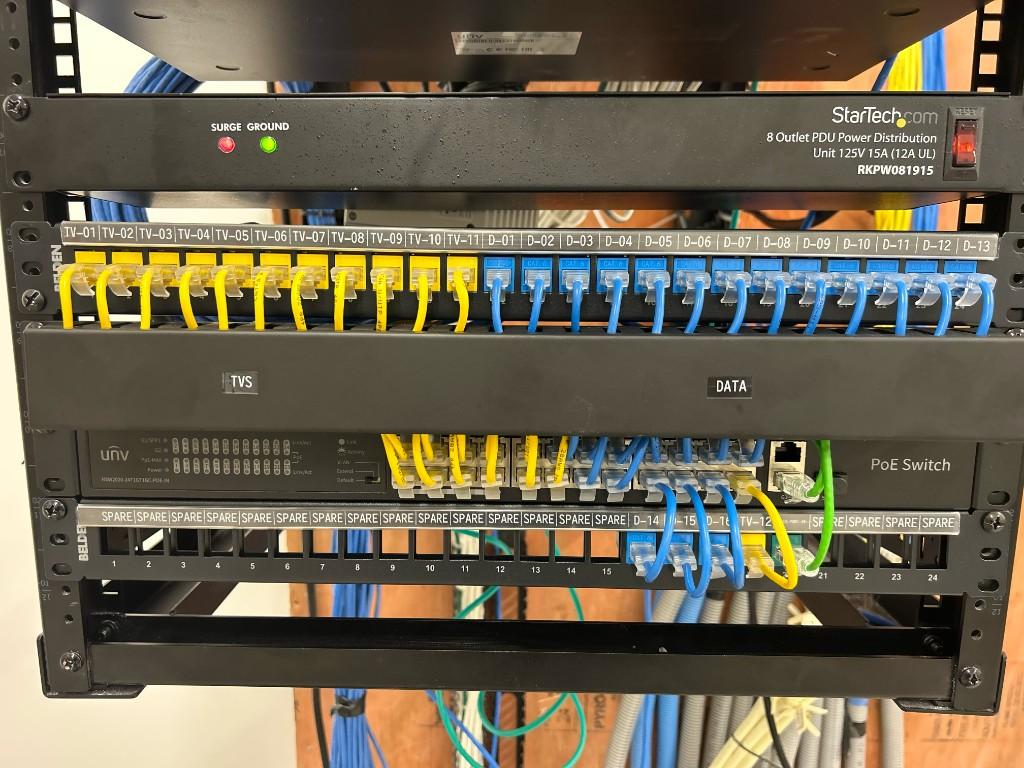
Who it is for
Homes, businesses, and industrial facilities that need Ethernet or fiber pulled, labeled, and tested.
Overview
Each copper run starts at a jack and ends on a patch panel. Fiber is spliced, terminated, and mounted in an enclosure. Phone and VoIP drops are labeled in the same closet, and you receive test results with a connection map.
What to Expect
01
Plan
Desks, printers, access points, phones, and any TV location that needs a jack.
02
Install
Cables run to one rack or wall cabinet, then terminated on jacks and a patch panel.
03
Test
Each run is labeled and tested. A failed run is repaired before the job is closed.
04
Document
You receive test results and a connection map for later changes.
Structured Cabling
Cat5e
Cat5e when the job is extending an existing Cat5e installation. A run that needs gigabit or better is pulled as Cat6 instead.
Cat6/Cat6A Installation
New data runs for desks, access points, and home offices. Cat6 for gigabit work. Cat6A where the run or the switch calls for 10-gigabit.
Ethernet Outlets
A wall plate and jack where the computer, printer, or access point will actually sit.
Data-Jack Termination
Each jack punched or crimped to the standard for that cable, with the pair order checked before the plate goes on.
Patch Panels
Closet-side termination on a patch panel, so desks move with a short patch cord instead of a new home run.
Cable Labeling
The same ID on the jack, the panel, and the cable jacket. The ID matches the port map.
Cable Tracing
Tone and trace an unlabeled run when a previous install left the closet as a bundle with no names.
Troubleshooting and Testing
A failing link gets tested for length, wire map, and the fault. Passing runs are recorded. Failing runs get repaired or replaced.
Network Racks & Organization
Organized racks make maintenance and future upgrades easier.
Network Racks and Cabinets
A wall rack or a floor cabinet sized to the switch, the panel, and the room you have.
Patch-Panel Organization
Panels dressed so each port can be read, with patch cords short enough to trace with a finger.
Cable Management
Velcro, managers, and a path for new runs, so the next cable does not have to fight the old ones.
Data-Closet Cleanup
Abandoned cords pulled, live links identified, and the bundle reduced to what the network still uses.
Port Maps and Documentation
A sheet that says which panel port serves which room. You keep a copy. We keep a copy.
Fiber
Single-mode and multimode fiber installation, including splicing, termination, and enclosure mounting.
Single-Mode Fiber
Long runs between buildings, IDFs, and the main closet, where the distance is past what copper can carry.
Multimode Fiber
Short backbone runs inside a building, between closets, racks, and the switch that needs the bandwidth.
Fiber Splicing
Fiber splices are protected and organized inside the enclosure.
Fiber Termination
Connectors landed and labeled with the closet name and the termination numbers, readable from the door.
Fiber Enclosures
The enclosure is mounted, the cable is dressed in, and the adapters face the jumper path. Aqua jumpers stay out of the way of the switch underneath.
Voice & VoIP
A phone is a drop in the same closet as the computers. The handset gets a jack, and the system gets programmed when that is the job.
Phone Drops
A jack at each desk or wall where a phone will sit, labeled on the panel with the room, the same way as a data drop.
VoIP Installation
The phones, the power, and the extension list. A handset is not left on a desk until it can call the extension next to it.
What you receive
Tested Ethernet or fiber runs
Labeled jacks and panels
A connection map
Completed projects
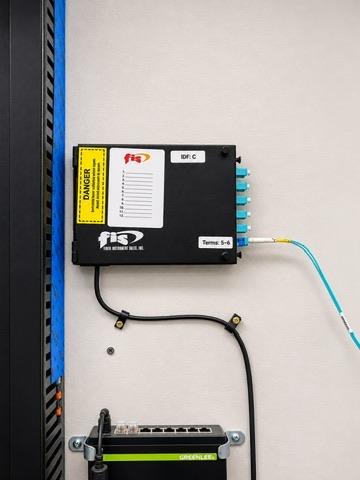
Fiber termination and enclosure installation
Fiber installation.
Protected splices, labeled connections, and a wall-mounted enclosure.
The fiber is terminated in the wall-mounted enclosure.
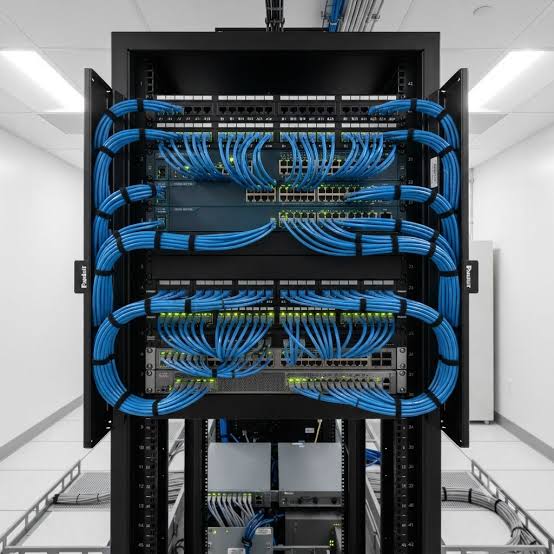
Network Cabinet Installation
Network cabinet installation.
Cables run, terminated, labeled, and commissioned.
The cabinet was commissioned with labeled connections.
Frequently Asked Questions
What is the difference between Cat6 and Cat6A?
Cat6 supports gigabit connections for most desks. Cat6A is used when a run needs 10-gigabit. We recommend the cable type based on your equipment, distance, and performance needs.
Do you install fiber?
Yes. Single-mode for longer runs between buildings or closets, and multimode for shorter runs inside one building. Splicing, termination, and the enclosure are included.
Estimates and scheduling
Send your town, the service you need, and a short description of the work. We review the request and contact you to discuss scope and scheduling before any work is booked. You can use the form or email m@kableiq.com.
Tell Us About Your Project
Share your location, the service you need, and a brief description of your project or issue. We’ll review your request and contact you to discuss the next steps.